
Bring your real business signals into the workflow.
Connect analytics, ads, CRM, revenue, product, and workplace tools so LenGrowth can make recommendations and reports from real business context.
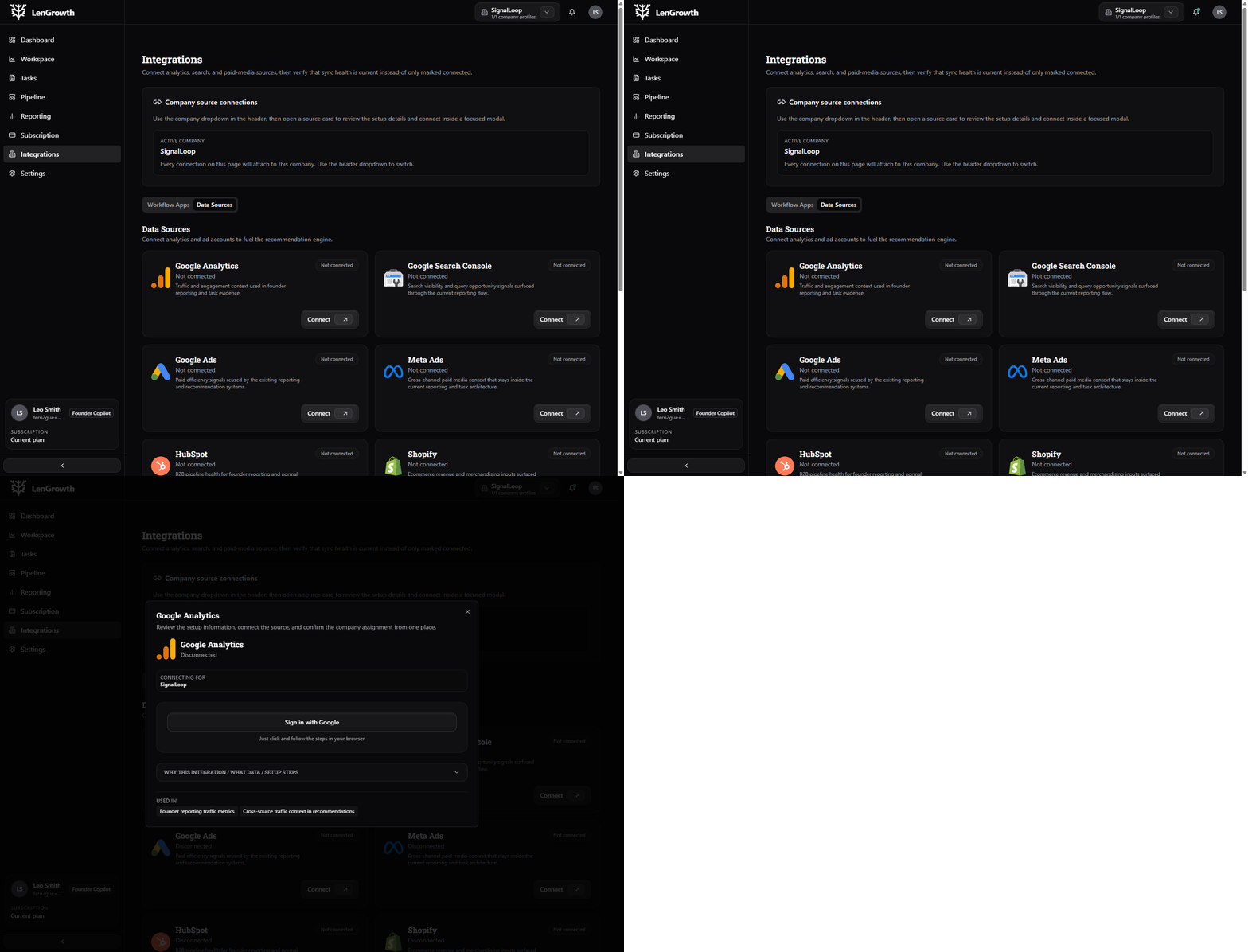
Connection loop
The connection flow stays tied to the company workspace.
Open the modal, connect the source, and keep the setup scoped correctly.
Why connections matter
Better inputs make the whole workflow more useful.
Integrations are not decoration. They help reporting become more trustworthy, recommendations become more specific, and execution stay closer to the systems teams already use.
Better reporting
Connected sources make reporting more specific and more trustworthy.
Stronger recommendations
The platform can prioritize with more context.
Cleaner setup
Each connection is tied to the right company workspace.
Chat-based workflows
Bring alerts and interactions into Slack, Teams, or Basecamp.
What integrations unlock
The more relevant your signals, the more useful your workflow becomes.
Connected sources help reporting become more trustworthy and let the platform prioritize with more context.
Better reporting
Connected sources make reporting more specific and more trustworthy.
Stronger recommendations
The platform can prioritize with more context.
Cleaner setup
Each connection is tied to the right company workspace.
Chat-based workflows
Bring alerts and interactions into Slack, Teams, or Basecamp.
Data sources
Analytics, search, ads, CRM, revenue, and product data.
Workflow apps
Slack, Teams, and Basecamp for operational communication.
Company-specific connection state
Connections are easy to understand when they stay scoped to the workspace.
Connected sources improve reporting.
Workflow apps bring action closer to the team.
Setup guidance should stay obvious.
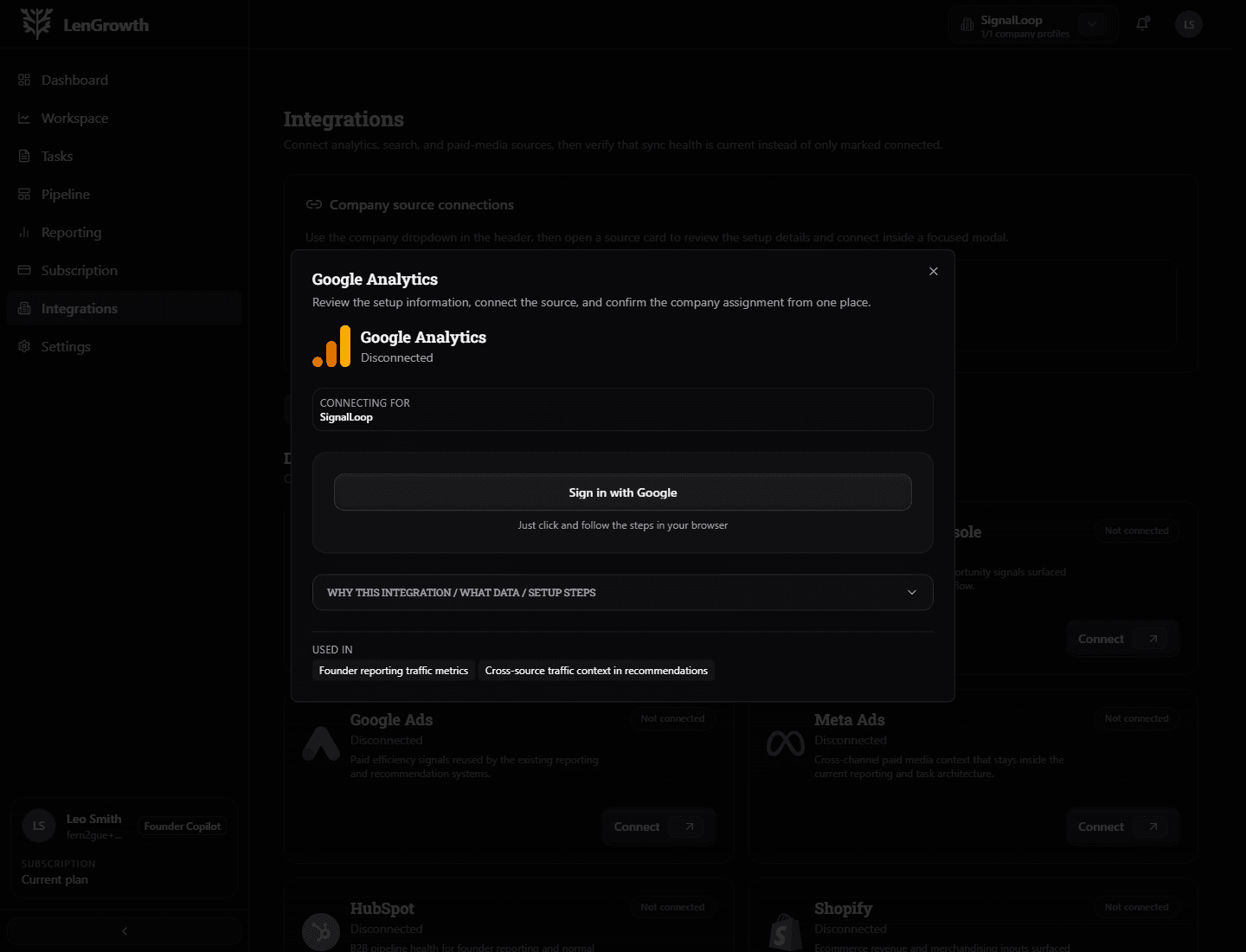
Deep dive
The company-specific setup makes the connection model obvious.
The user can see which source is connected, which company it belongs to, and why it matters.
From source to action
Connect the signal, then use it where work happens.
A connected source should improve decisions inside the workflow, not just sit on a settings page.
01
Choose the source
Start with the systems that best explain the current business objective.
02
Connect it to a company
Keep each integration scoped to the right workspace so signals stay clean.
03
Use the signal
Let reporting, prioritization, and task context become more specific.
04
Watch sync health
Make connection state and setup guidance visible when something needs attention.
What users feel
The next move stays visible.
The platform connects context, work, support mode, and proof so the user is not guessing what just happened or what needs attention next.
Connected sources improve reporting.
Workflow apps bring action closer to the team.
Setup guidance should stay obvious.
Why clients like this model
The more relevant your signals, the more useful your workflow becomes.
Integrations do not just decorate the product. They improve the decisions inside it, make reporting more trustworthy, and keep execution grounded in real business signals.
A few things stay constant
The work stays connected to a real objective and is easier to follow from start to finish.
AI helps where it is useful, not where it creates risk.
Specialist support can join without losing the original context.
A few questions clients usually ask.
Bring the signals in so the workflow can make better decisions.
When the platform has the right signals, it can prioritize more intelligently and report with more confidence.