
Use AI to move faster without losing visibility or control.
AI works inside the task flow, not beside it. LenGrowth shows what AI can support, what still needs review, and when a person should step in.
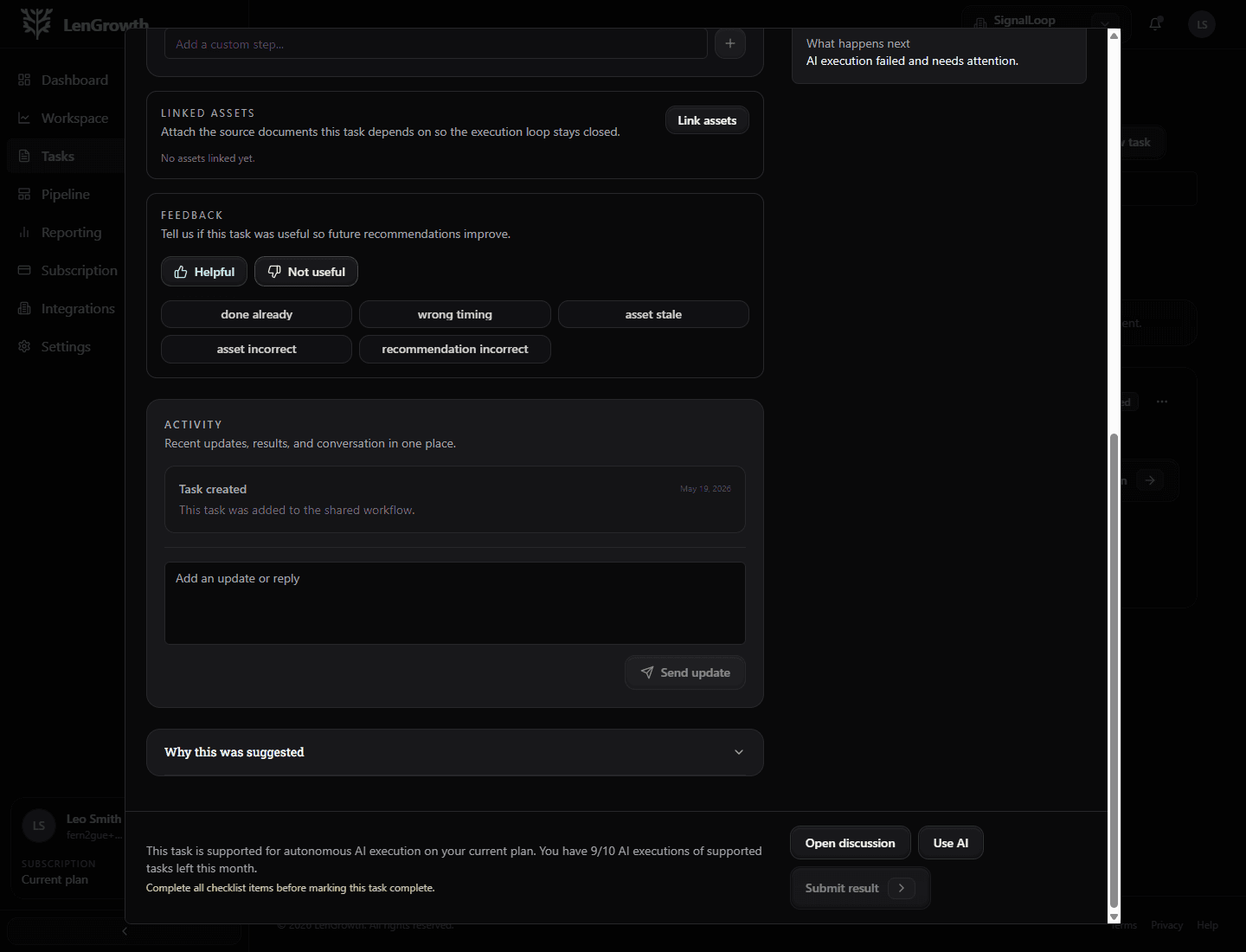
AI task loop
The workflow shows when AI is helping and what remains in view.
AI supports the step, but the task still stays readable and controlled.
AI with guardrails
Automation should reduce drag without hiding judgment.
The AI workflow is designed for supported work like research, summarizing, drafting, and structured execution. The review point and support mode remain visible.
Research and context
Pull useful context together so teams spend less time assembling inputs.
Drafting and structure
Create first-pass copy, summaries, and organized work output faster.
Execution support
Move supported workflow steps without turning everything into manual work.
Progress summaries
Turn activity into readable updates instead of scattered notes.
Trust and control
This is not press a button and hope.
LenGrowth makes the execution path visible so clients know when AI is helping, when people need to step in, and where the review point lives.
AI can do
Draft, summarize, structure, and support execution.
You still control
Approvals, sensitive decisions, customer-facing judgment, and when human help is needed.
Three execution modes
Guided by you, AI-supported, or specialist-supported.
Guided by you
For work that should stay manual.
AI-supported
For work that benefits from speed and structure.
Specialist-supported
For work that needs deeper human expertise.
Automation stays visible.
Review points stay obvious.
Specialist escalation is still available.
What clients see
The support mode is visible right where the work happens.
Users can see when AI is helping, what it produced, and what still needs human review.
How AI fits
Use AI for speed, keep humans for judgment.
The platform makes the execution path clear so users know when AI is helping, when they need to review, and when a specialist is the better route.
01
Understand the task
AI starts from the task context, objective, and approved inputs.
02
Run supported work
Research, summaries, drafts, and structured execution can move faster.
03
Review the output
The user sees what was produced and where judgment or approval is needed.
04
Escalate when needed
Specialists can join when the work needs deeper expertise than automation should handle.
What users feel
The next move stays visible.
The platform connects context, work, support mode, and proof so the user is not guessing what just happened or what needs attention next.
Automation stays visible.
Review points stay obvious.
Specialist escalation is still available.
Why clients like this model
AI is there to reduce drag, not remove judgment.
LenGrowth makes the execution path visible. Clients can see when AI is supporting a task, when a step requires their action, and when specialist help is more appropriate than automation.
A few things stay constant
The work stays connected to a real objective and is easier to follow from start to finish.
AI helps where it is useful, not where it creates risk.
Specialist support can join without losing the original context.
A few questions clients usually ask.
Use AI where it speeds the work, not where it creates risk.
The best AI workflow is one that is clear about what it can do and equally clear about what still needs a human.